Workforce and shift planning for production

Staff every workstation—without Excel.

Stafferi helps production managers plan shifts, match people to workstation requirements, handle absences and open shifts, and keep one live view of staffing.
  • No credit card
  • Guided setup
  • Built for production teams
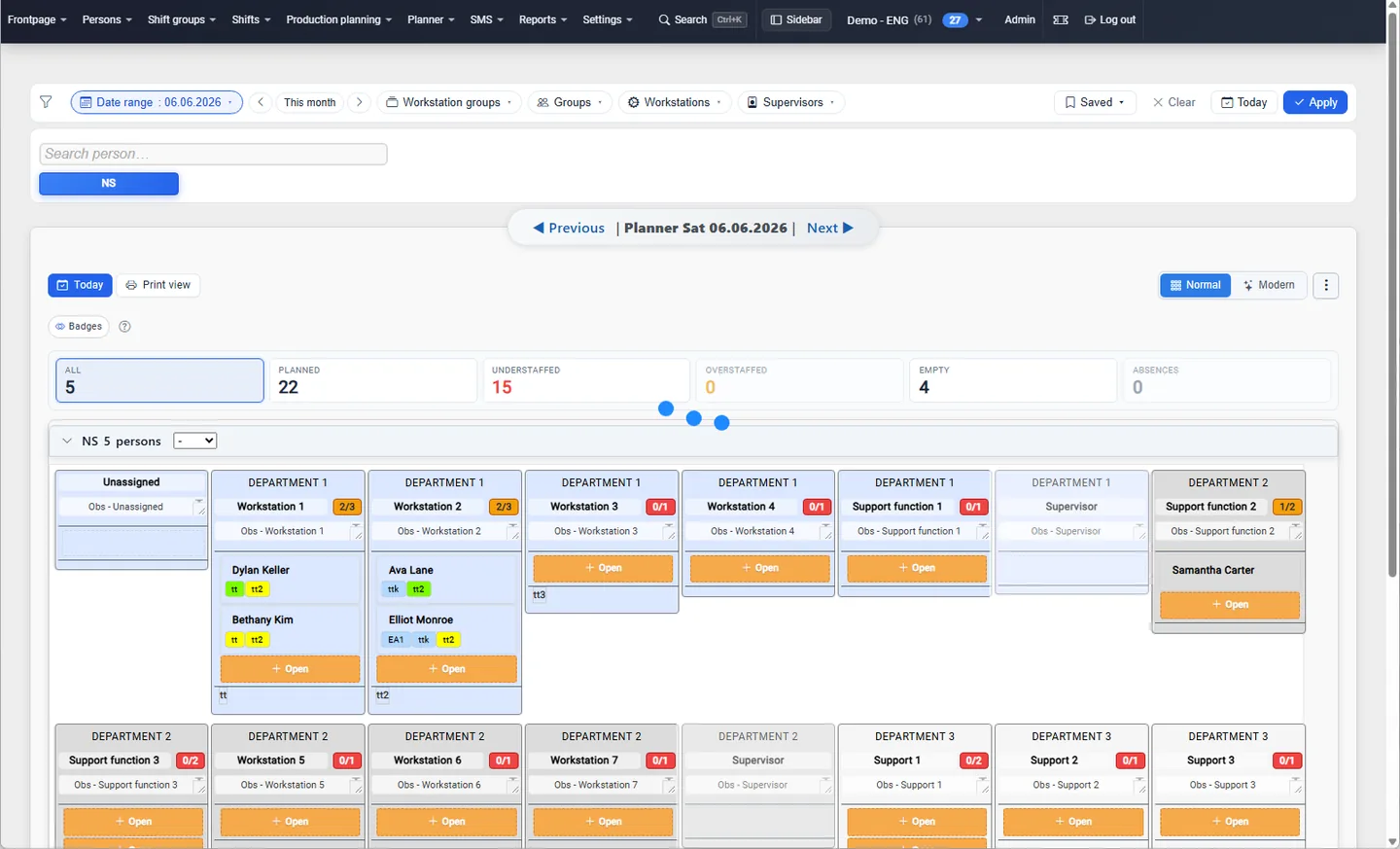
Stafferi planner showing workstation staffing and visible coverage gaps
A Stafferi planning view with workstation requirements, assigned people, understaffed positions and open staffing slots.
Live coverage Gaps stay visible

Used by production teams at

HKFoods Huhtamäki Mölnlycke
How it works

One live path from shift plan to production floor.

Stafferi connects the planning details that spreadsheets keep apart: shifts, people, workstations, skills and day-to-day changes.

Plan shifts and rotations

Define shift types, groups and rotating patterns, then plan the people each workstation needs.

See coverage and skills together

Keep staffing gaps visible while you plan and see the skills required for each workstation alongside employee skill levels.

Handle changes in the same system

Record absences, find substitutes, offer open shifts and carry important notes into the next shift.

Plan with the real workload

A week of staffing, visible at a glance.

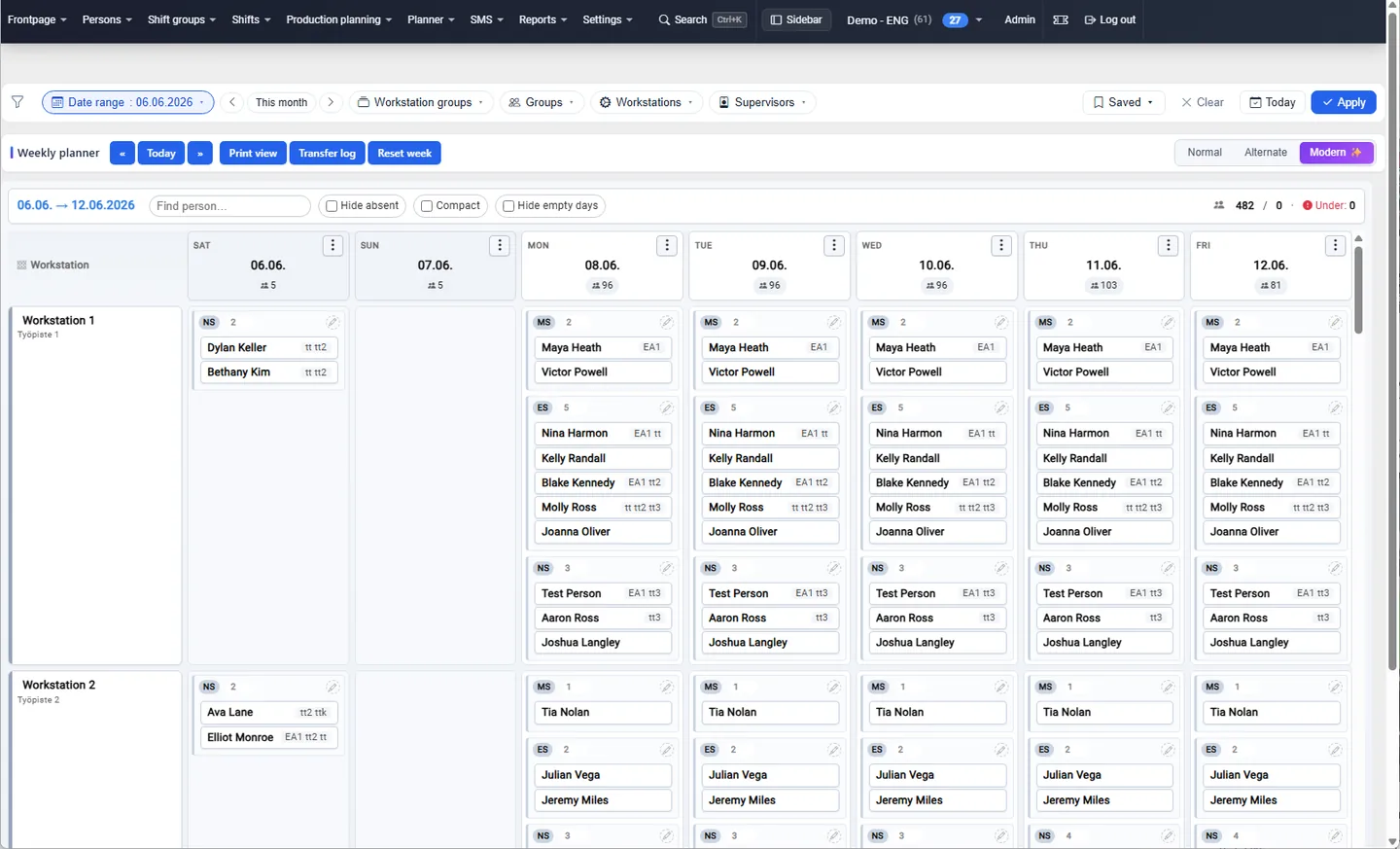
Use the weekly planner to compare workstations, shifts and assigned people in one view. Automatic fill can use production demand or work history as a starting point; planners stay in control of every adjustment.
  • Shift groups and rotations
  • Workstation staffing requirements
  • Manual adjustment and transfer log
Stafferi weekly planner with shifts and employees arranged by workstation and day
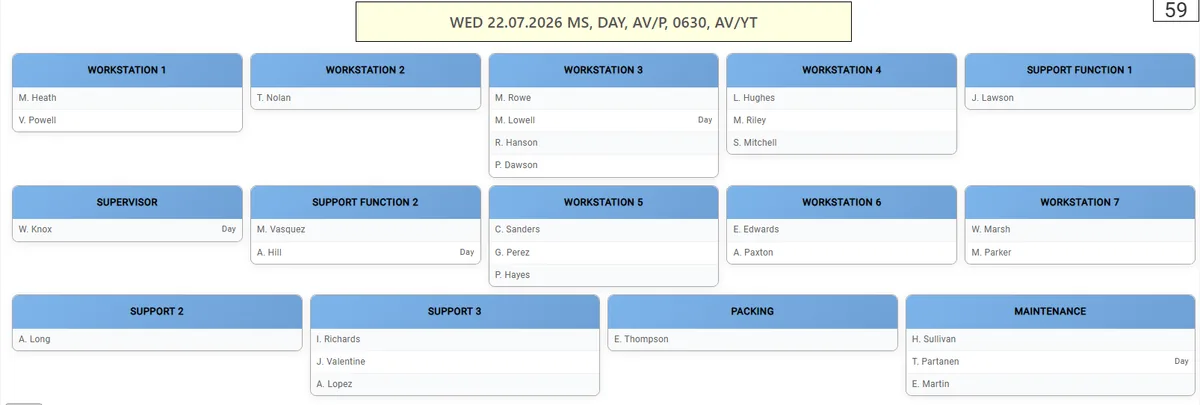
Stafferi live floor view showing who is assigned to each workstation
Run the shift

Give the floor one clear staffing view.

Show current workstation assignments on a shared production-floor display. Keep changes and handover information in Stafferi instead of passing around new spreadsheet versions.
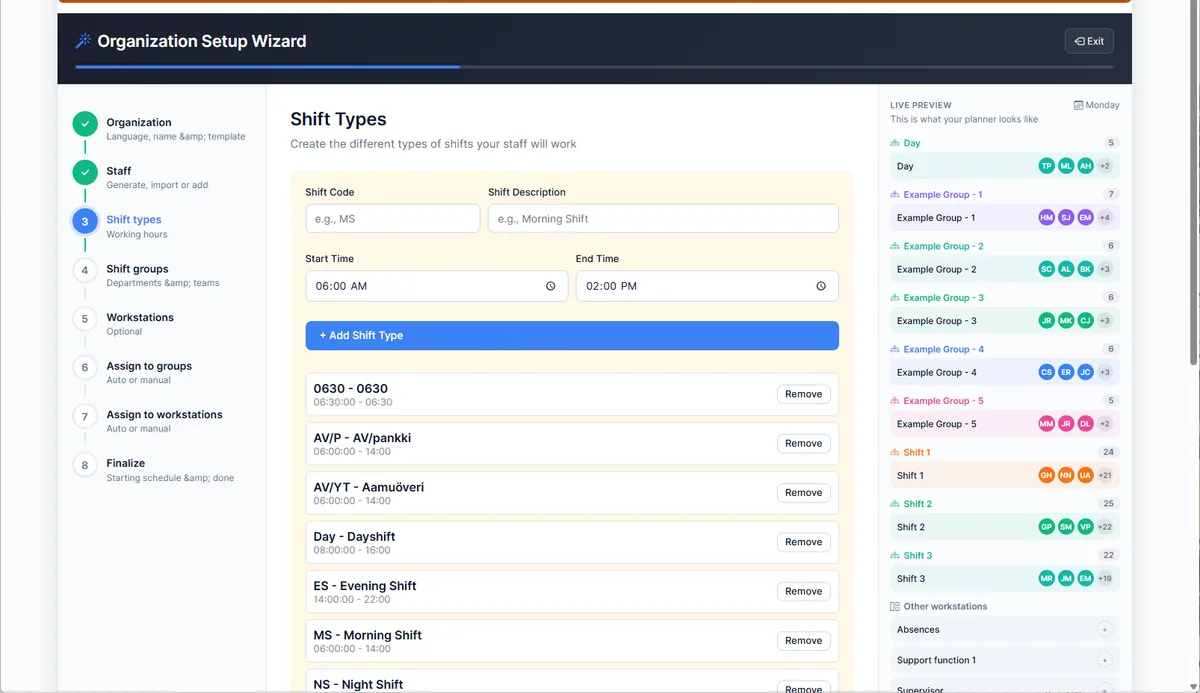
Stafferi setup wizard for adding staff, shifts, groups and workstations
Start with a real workflow

Build a trial workspace without a rollout project.

The setup wizard guides you through your organization, staff, shift types, groups and workstations. Build a sample plan first; production rollout depends on your data and integration needs.

  1. 1Request access with your work email.
  2. 2Set up or import your core planning data.
  3. 3Build a representative shift plan.

Eligible company domains receive a setup link automatically. Other requests are reviewed before access is sent.

Start a 14-day free trial
Core Stafferi

Everything needed for production staffing.

Shift planning, rotations, workstation manning, absences, substitutes, open shifts, skills, handover notes, employee self-service and reporting form the core Stafferi workflow.

Extend when needed

Optional capabilities

Production planning is available from the Plus plan. HR, MES and HSE are optional modules whose scope and availability are agreed with Stafferi.

See plans and pricing

Application data hosted in the EU

AWS hosting in Stockholm with role-based access.

Interface in 20 languages

Employees can use Stafferi in their preferred supported language.

Direct support

Support from the Stafferi team in English, Finnish and Swedish.

Common questions

What production teams usually ask first.

Stafferi is workforce and shift planning software for production teams. It connects shifts, people, workstations, skills, absences and open staffing needs in one live planning environment.

Yes. The trial lasts 14 days and does not require a credit card. Eligible company domains receive a setup link automatically; other requests are reviewed before access is sent.

Employees can check shifts and use supported self-service functions in a mobile browser. The shift-planning workspace is optimized for desktop and tablet use.

Stafferi records employee skills and levels and shows workstation skill requirements while planning. Training records can include validity dates, with an in-app reminder 30 days before expiry.
Start with one representative plan

See staffing gaps before the shift starts.

Use your own production structure in a 14-day Stafferi workspace.